



CNC drawing revision control connects your approved design to the parts your supplier actually manufactures. Before releasing an order, identify the governing files, authorize changes, and define the first affected batch. Control existing stock and inspection records too. A revised filename alone cannot establish those decisions.
Establish The Approved Manufacturing Package
Your manufacturing package should identify the exact information authorized for each purchased part.
Include the part number, drawing identifier, revision, model version, material specification, finish, and referenced requirements. List every file in a release register. Record who approved the package and when it became effective.
Separate documents submitted for quotation from documents released for production. A supplier can evaluate an unreleased proposal without receiving permission to manufacture it. State that distinction in the request.
If you need drawing preparation guidance, review why 2D drawings matter when ordering parts. Revision control addresses what happens after those requirements change.
Agree Which Document Governs A Conflict
You should resolve drawing and model conflicts before the supplier programs or cuts material.
A solid model may define geometry while a drawing specifies tolerances, material, finish, and inspection requirements. Other projects use an authoritative annotated model. Neither arrangement should be assumed from the file extension.
State the agreed precedence within your release package. Ask the supplier to report discrepancies instead of selecting whichever file seems newer. Check that exported files actually reflect the approved design.
ASME Y14.35 addresses drawing revision practices and methods for identifying and recording revisions. Apply the edition required by your contract. Its public description does not establish your specific approval workflow or document precedence.
Review The Manufacturing Impact Before Authorization
Your change review should cover every operation and acceptance requirement affected by the proposed revision.
A small drawing change can alter machining access, stock allowance, workholding, or inspection. Moving a datum may affect several measurements without visibly changing the part. Changing a finish can affect masking and final dimensions.
Use a change comparison that identifies the old requirement, new requirement, and affected features. Treat highlighted drawings as review aids. Keep the released package complete enough to manufacture without reconstructing requirements from email discussions.
| Change Area | Supplier Review | Buyer Decision |
|---|---|---|
| Geometry or tolerance | Tool access, setup, program and measurement effects | Approve feasibility and revised acceptance requirements |
| Material or condition | Stock availability and manufacturing response | Approve the exact specification and traceability |
| Finish or treatment | Dimensional allowance and processing sequence | Approve final condition and inspection timing |
| Identification or packaging | Marking, labels and record changes | Define the affected shipments and evidence |
Ask for a revised quotation when scope changes affect cost or delivery. Review programming, fixtures, tooling, rework, inspection, and outside processing separately. Do not assume a visually minor change has no commercial impact.
Authorize The Change And Its Effective Batch
Your authorization should state both the released requirements and the first units to which they apply.
Identify the purchase order, affected line items, release package, and approving authority. Define implementation through an unambiguous batch, serial range, work order, or shipment boundary.
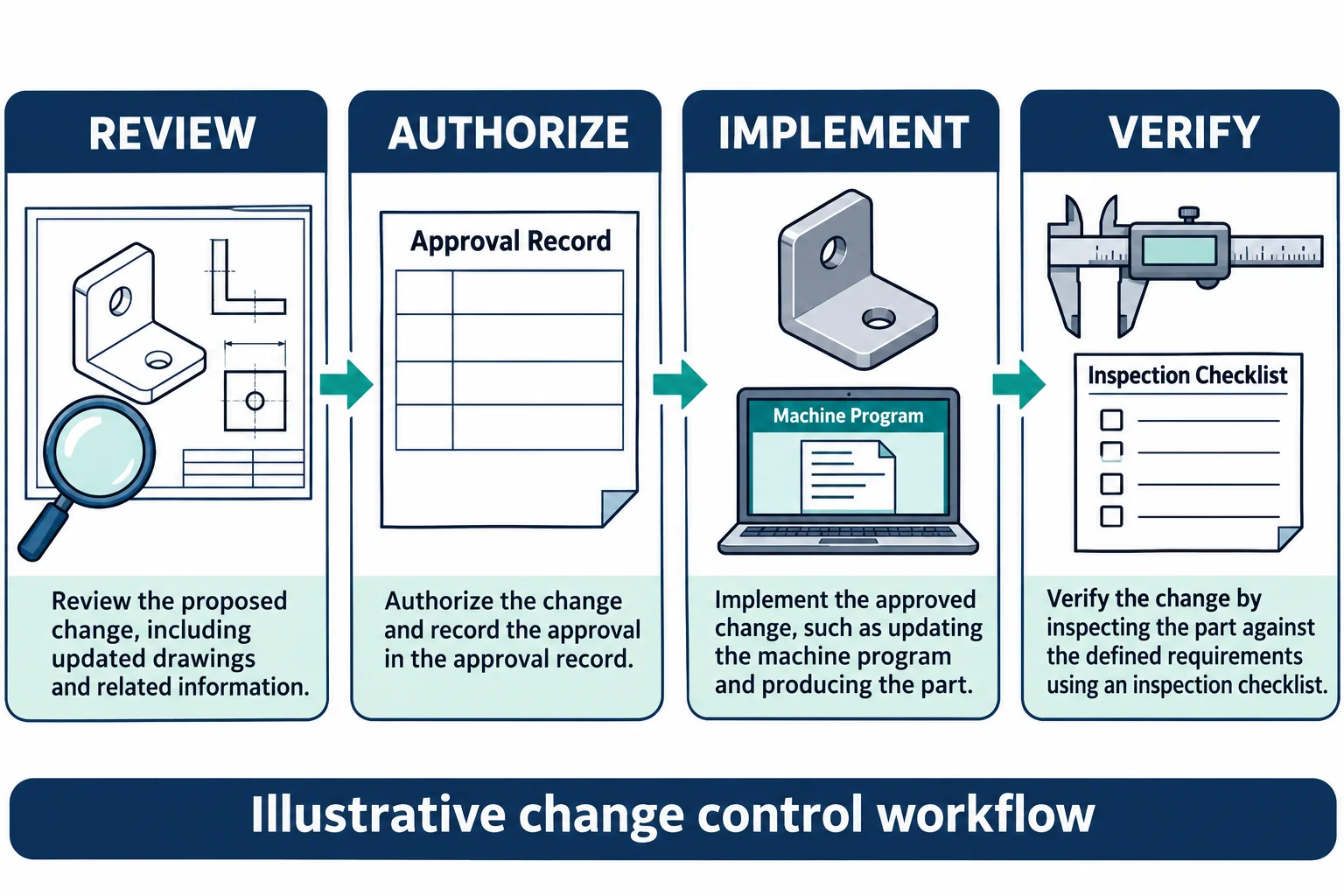
A calendar date may be insufficient when several jobs run simultaneously. Ask the supplier to acknowledge the agreed boundary and report its current manufacturing stage. Resolve any mismatch before work continues on affected operations.
ISO 10007:2017 provides configuration management guidance across the product lifecycle. The ISO committee overview includes identification, change control, status accounting, and audit within that process.
The workflow here is practical purchasing guidance. It is not a claim that your order or supplier complies with either standard.
Decide What Happens To Existing Parts
You need a documented disposition for affected finished stock and work in process.
Count and identify the affected units before deciding their destination. Separate unmachined stock, partially completed parts, finished inventory, and goods already shipped. Each group can require a different decision.
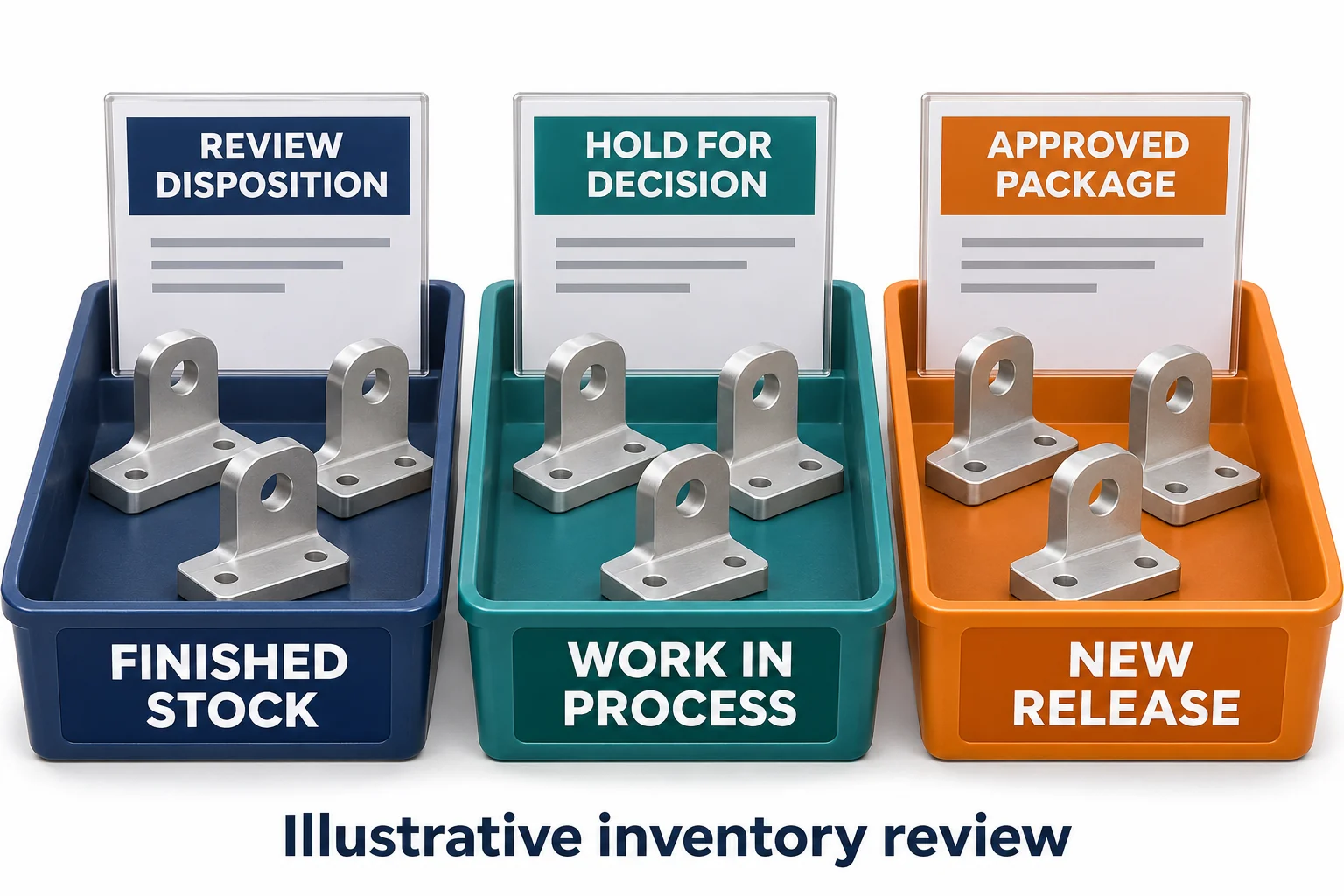
Possible outcomes include authorized use under the previous revision, approved rework, return, or scrap. Confirm technical suitability and the required approval before choosing. A new revision does not automatically invalidate every older part.
Conversely, identical appearance does not prove interchangeability. A material condition, treatment, tolerance, or note can change without an obvious visual difference.
For approved rework, specify the method, inspection requirements, identification, and records. Preserve the original batch relationship. Do not simply relabel older parts as the new revision without evidence and authorization.
Update Production And Inspection Information Together
Your implementation check should connect the released design to manufacturing instructions and inspection evidence.
Ask the supplier to review affected CAM files, machine programs, setup sheets, fixtures, gauges, and inspection plans. Internal program identifiers need not match your drawing revision. Their relationship should still be traceable.
Remove superseded information from active use while preserving the required history. Confirm that subcontracted finishing or treatment providers receive the applicable updated requirements.
Inspection reports should identify the part, applicable revision, batch, and acceptance criteria. Decide whether changed features need targeted verification, broader inspection, or first article review. The appropriate scope depends on change risk and contractual requirements.
A previously accepted sample does not approve features introduced by a later revision. Record the approval scope when you accept new samples.
Close The Change With Release Evidence
You should close a revision change only after confirming implementation and inventory disposition.
Request a concise closure record linking authorization, effective batch, updated production information, inspection results, and remaining stock decisions. Reconcile the first shipment against that record.
Check labels and delivery documents before accepting mixed revisions. If both revisions remain authorized, keep their quantities and application boundaries distinguishable.
For repeat orders, reference the agreed release package explicitly. Avoid instructions that depend on someone interpreting an old email chain. Confirm unresolved deviations before the next production release.
Request A Quote Against A Defined Revision
Your quote request should identify the release being priced and the changes still awaiting approval.
TOPS Precision offers CNC machining services. Send the approved requirements for a project-specific manufacturing review. Confirm revision handling, inspection evidence, subcontracted operations, and change costs within the order agreement.
Do not infer document control certification, software integration, or an automatic implementation commitment from a service listing. Agree those arrangements for your project.
Frequently Asked Questions
Your purchasing agreement should answer these revision control questions before production starts.
Is A New Filename Enough To Release A Revision
No. Identify the approved requirements, authorization, effective units, and supplier acknowledgment. A filename is only one identifier.
You can use matching identifiers or a controlled cross-reference. The release register should make the approved relationship unambiguous.
Does The Newest Email Automatically Override The Drawing
You should not rely on that assumption. Convert approved changes into the agreed release and authorization process.
Must Every Revision Trigger Full First Article Inspection
The required scope depends on change risk, customer requirements, and your contract. Agree the scope before manufacturing resumes.
Can Existing Parts Be Shipped After A Revision
Only ship units that meet the agreed requirements and authorization. Define which revisions remain acceptable for each shipment.
Can A Supplier Propose A Different Material
Yes, but a proposal does not authorize substitution. Approve the exact change and affected units before implementation.
Does A Revision Letter Prove Part Interchangeability
No. Evaluate fit, function, material, treatments, and acceptance requirements. Revision identifiers do not replace that engineering decision.
What Should A Change Quotation Separate
Request separate effects on programming, tooling, fixtures, inventory disposition, inspection, outside processing, and delivery. Compare equivalent scopes.
Send Your Approved Release Package
Contact us with your drawing, matching model, material, finish, quantities, and revision register. For an active change, include affected orders and inventory status. Request a manufacturing review and quotation against that defined release.

